FRP activates when someone performs a factory reset through the recovery menu or after multiple failed unlock attempts. At the setup screen, you’ll see:
Modern FRP bypass methods vary significantly depending on the device brand (Samsung, Xiaomi, Oppo, Vivo, Motorola, Realme), the Android version, and the security patch date. Here are the most prominent methods discussed in current tech circles: 1. The APK Method (No-PC Method)
Proceed until you reach the Wi-Fi or Email input screen. Long-press the Space Bar or the Globe icon on the keyboard.
From Chrome, search for "FRP bypass APK" and download a tool like QuickShortcutMaker or Technocare to disable the Google Account Manager. 3. PC-Based Tools (SamFirm, RealTerm, or Miracle Box)
Tap the link on the webpage labeled Your device will immediately redirect you to its native settings menu. Step 4: Disable Key Applications
As of early 2026, Wondershare Dr.Fone continues to be a leading, reliable tool.
Use the TalkBack or Emergency Call method outlined above to force open the Google Chrome browser on your locked device. Step 2: Navigate to an FRP Bypass Site
If you’ve recently searched for the term you are likely staring at a locked smartphone screen asking for a previously synced Google account. This frustrating security feature— Factory Reset Protection (FRP) —is a double-edged sword. While it protects theft, it often locks out legitimate owners after a hard reset.
This technique tricks the phone into registering a brand-new security PIN, which overrides the original Google Account request.
If you own a Motorola G-series (2023), Nokia G-series, or a TCL Android 12 phone , the "REPC FRP Bypass Hot" method is currently your golden ticket. It requires no software downloads, no risk of viruses, and takes less than two minutes.
If you are struggling with a specific brand, such as Samsung or Vivo, it is often helpful to look for updated YouTube tutorials for that specific model, as different manufacturers have unique security, as discussed in this playlist .
Bypassing a Factory Reset Protection (FRP) lock on series devices—often referred to in technical circles by terms like "REPC FRP" (potentially referencing specific repair/unlock tools)—usually involves exploiting loopholes in the Android setup wizard to access device settings and remove the Google account. Important Prerequisites
Encountering a Factory Reset Protection (FRP) lock on a "REPC" (often referring to refurbished or specific budget-tier Android devices) can be a major roadblock. Whether you bought a used phone or simply forgot your Google credentials after a hard reset, getting past that "Verify your account" screen is a top priority.
Think of it like an escape room for your device. Every Android update introduces new security patches, and each bypass method becomes a mini-game of logic, timing, and software finesse. Watching a successful bypass unfold—whether via ADB commands, combo keys, or test point shorts—is pure digital theater.
However, some legitimate and practical solutions still exist. This guide focuses on the most reliable methods, from official Google recovery to PC-based software tools.
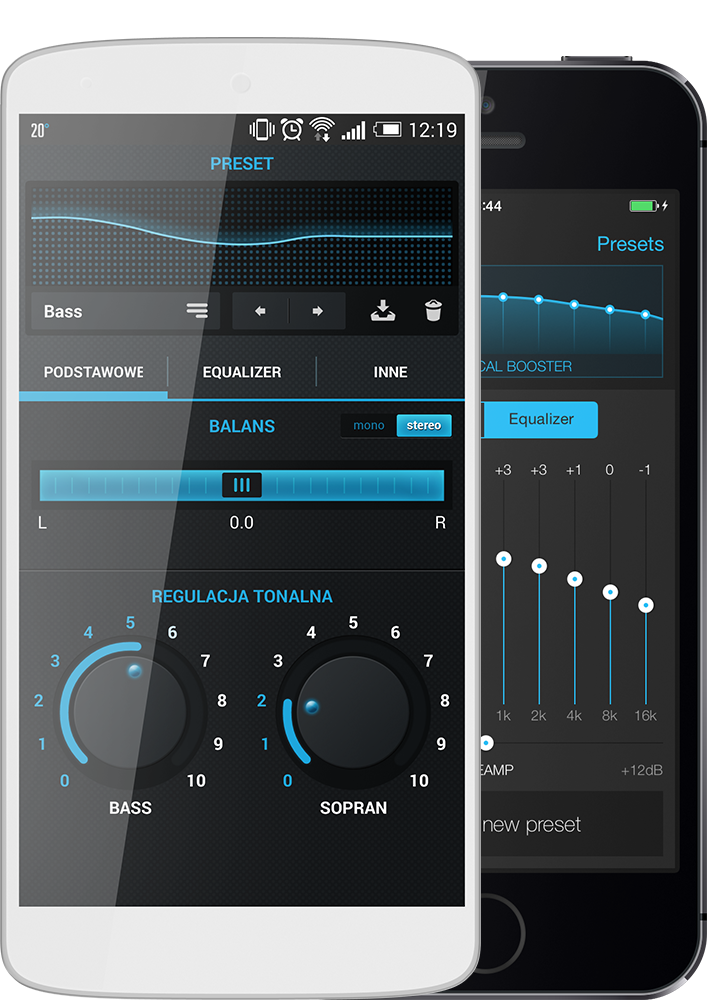
Have you ever wanted to make your favourite music sound even better? Now it is possible thanks to various audio equalization modules located in the n7player.
FRP activates when someone performs a factory reset through the recovery menu or after multiple failed unlock attempts. At the setup screen, you’ll see:
Modern FRP bypass methods vary significantly depending on the device brand (Samsung, Xiaomi, Oppo, Vivo, Motorola, Realme), the Android version, and the security patch date. Here are the most prominent methods discussed in current tech circles: 1. The APK Method (No-PC Method)
Proceed until you reach the Wi-Fi or Email input screen. Long-press the Space Bar or the Globe icon on the keyboard.
From Chrome, search for "FRP bypass APK" and download a tool like QuickShortcutMaker or Technocare to disable the Google Account Manager. 3. PC-Based Tools (SamFirm, RealTerm, or Miracle Box) repc frp bypass hot
Tap the link on the webpage labeled Your device will immediately redirect you to its native settings menu. Step 4: Disable Key Applications
As of early 2026, Wondershare Dr.Fone continues to be a leading, reliable tool.
Use the TalkBack or Emergency Call method outlined above to force open the Google Chrome browser on your locked device. Step 2: Navigate to an FRP Bypass Site FRP activates when someone performs a factory reset
If you’ve recently searched for the term you are likely staring at a locked smartphone screen asking for a previously synced Google account. This frustrating security feature— Factory Reset Protection (FRP) —is a double-edged sword. While it protects theft, it often locks out legitimate owners after a hard reset.
This technique tricks the phone into registering a brand-new security PIN, which overrides the original Google Account request.
If you own a Motorola G-series (2023), Nokia G-series, or a TCL Android 12 phone , the "REPC FRP Bypass Hot" method is currently your golden ticket. It requires no software downloads, no risk of viruses, and takes less than two minutes. The APK Method (No-PC Method) Proceed until you
If you are struggling with a specific brand, such as Samsung or Vivo, it is often helpful to look for updated YouTube tutorials for that specific model, as different manufacturers have unique security, as discussed in this playlist .
Bypassing a Factory Reset Protection (FRP) lock on series devices—often referred to in technical circles by terms like "REPC FRP" (potentially referencing specific repair/unlock tools)—usually involves exploiting loopholes in the Android setup wizard to access device settings and remove the Google account. Important Prerequisites
Encountering a Factory Reset Protection (FRP) lock on a "REPC" (often referring to refurbished or specific budget-tier Android devices) can be a major roadblock. Whether you bought a used phone or simply forgot your Google credentials after a hard reset, getting past that "Verify your account" screen is a top priority.
Think of it like an escape room for your device. Every Android update introduces new security patches, and each bypass method becomes a mini-game of logic, timing, and software finesse. Watching a successful bypass unfold—whether via ADB commands, combo keys, or test point shorts—is pure digital theater.
However, some legitimate and practical solutions still exist. This guide focuses on the most reliable methods, from official Google recovery to PC-based software tools.